
Patient Portal: How-to Guide
STEP 2
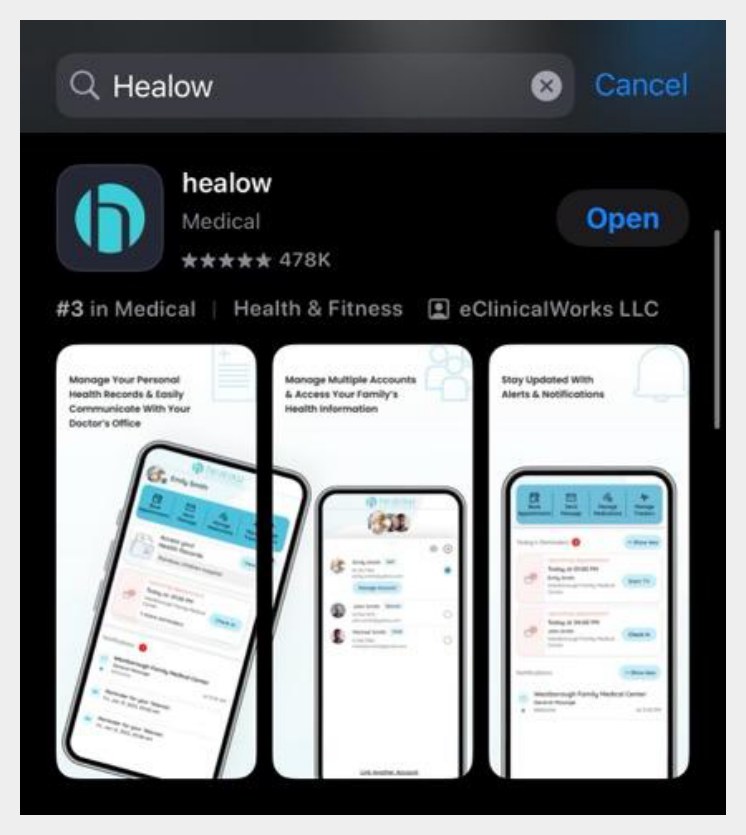
Open the app and accept the terms
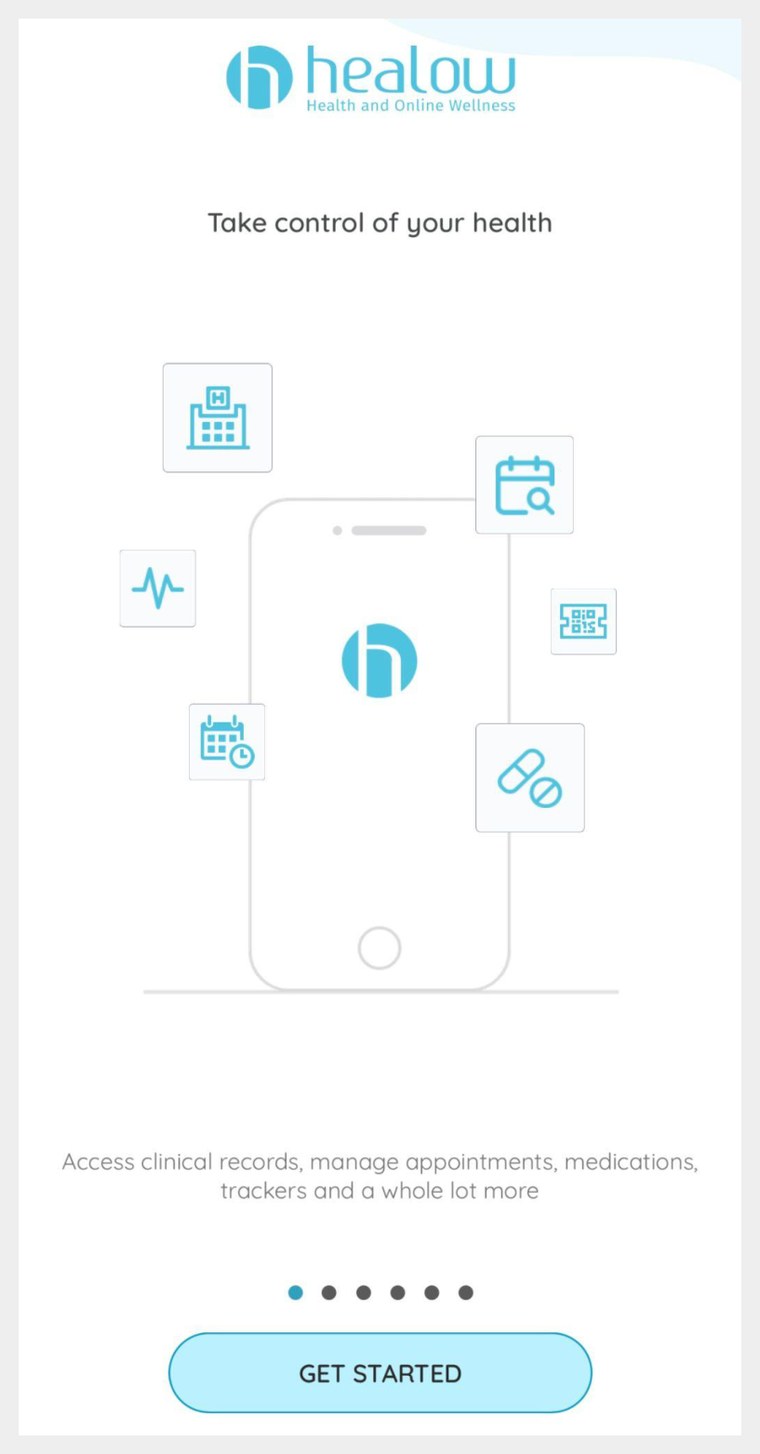
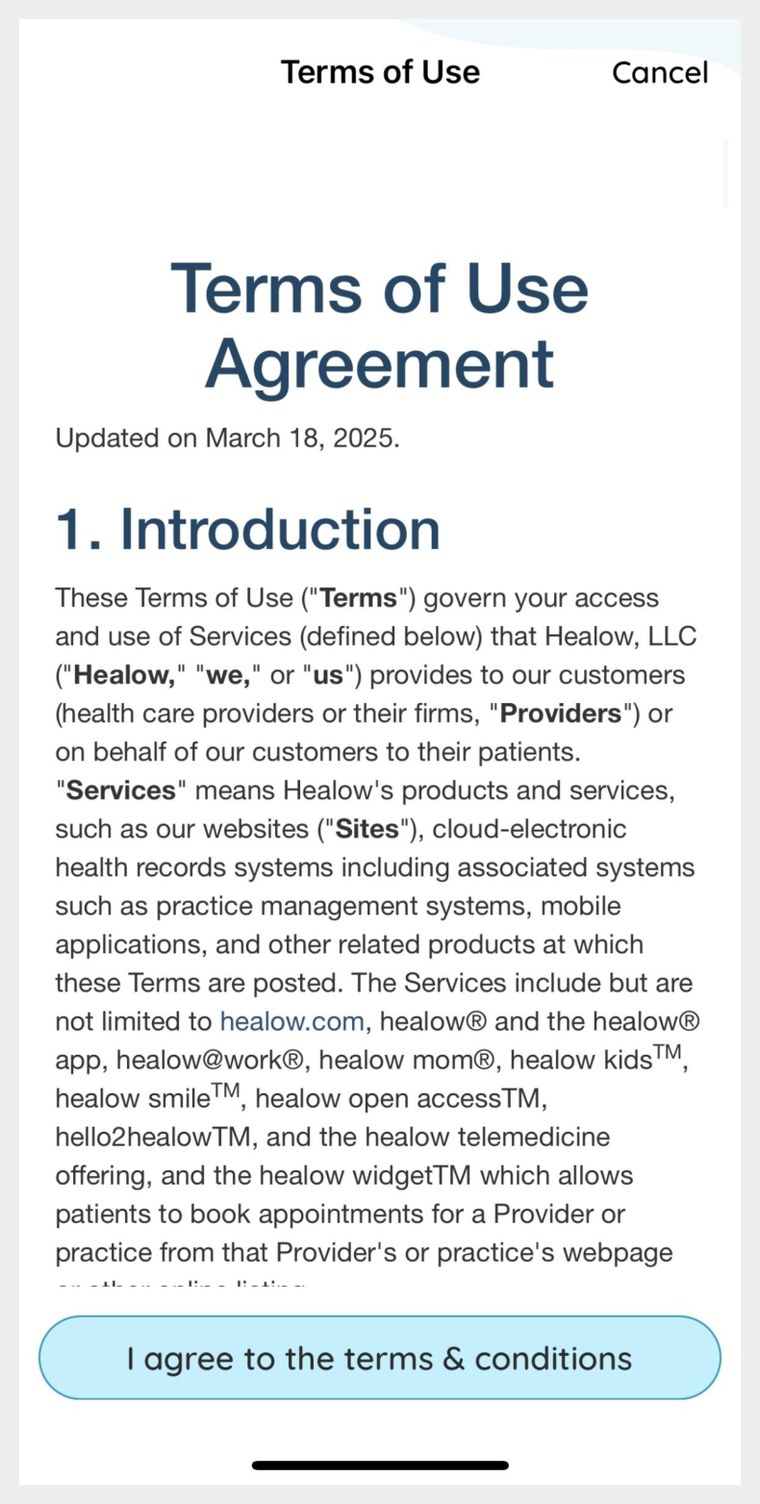
Tap GET STARTED on the welcome screen, then read and tap I agree to the terms & conditions to continue.
STEP 3
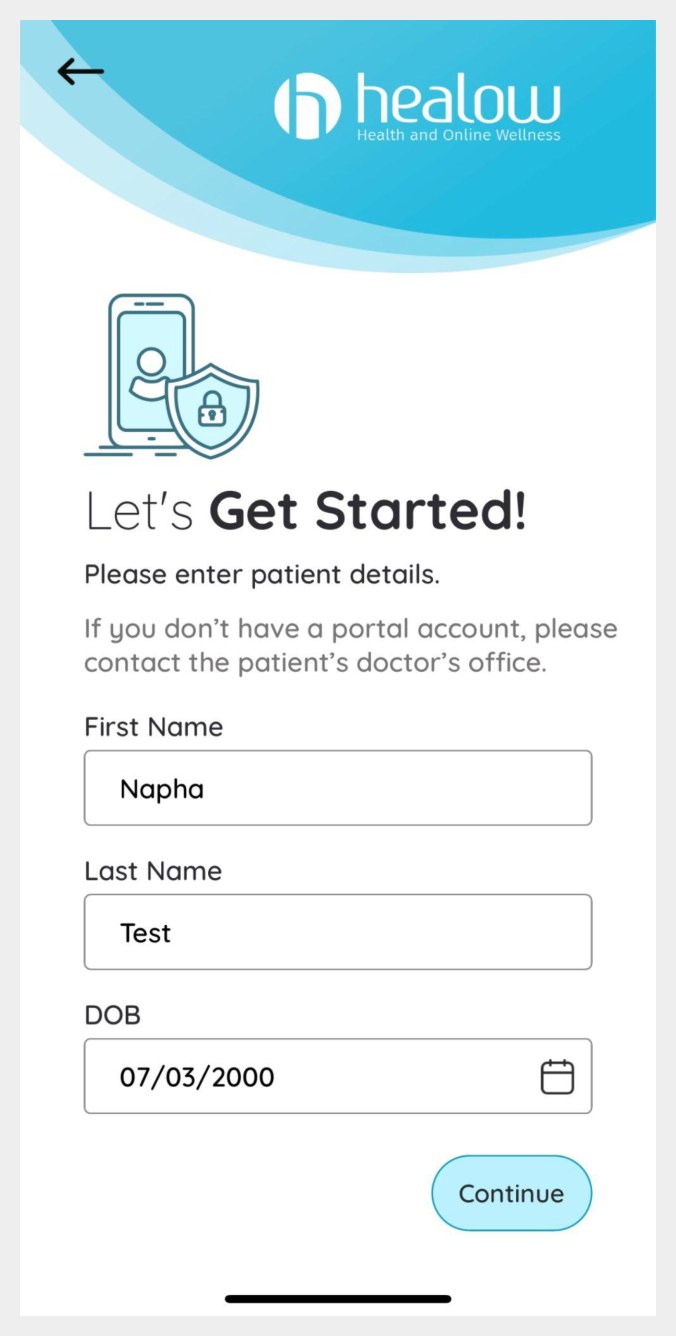
Enter your patient details
Type your first name, last name and date of birth exactly as they appear on your patient profile at the clinic, then press Continue.
If you don’t have a portal account yet, please contact the clinic before continuing.
STEP 4
Enter our practice code
When the app asks whether you have a practice code from your provider’s office, tap Yes, I have Practice Code and enter ours.
Kheir Clinic practice code
AGCHBA
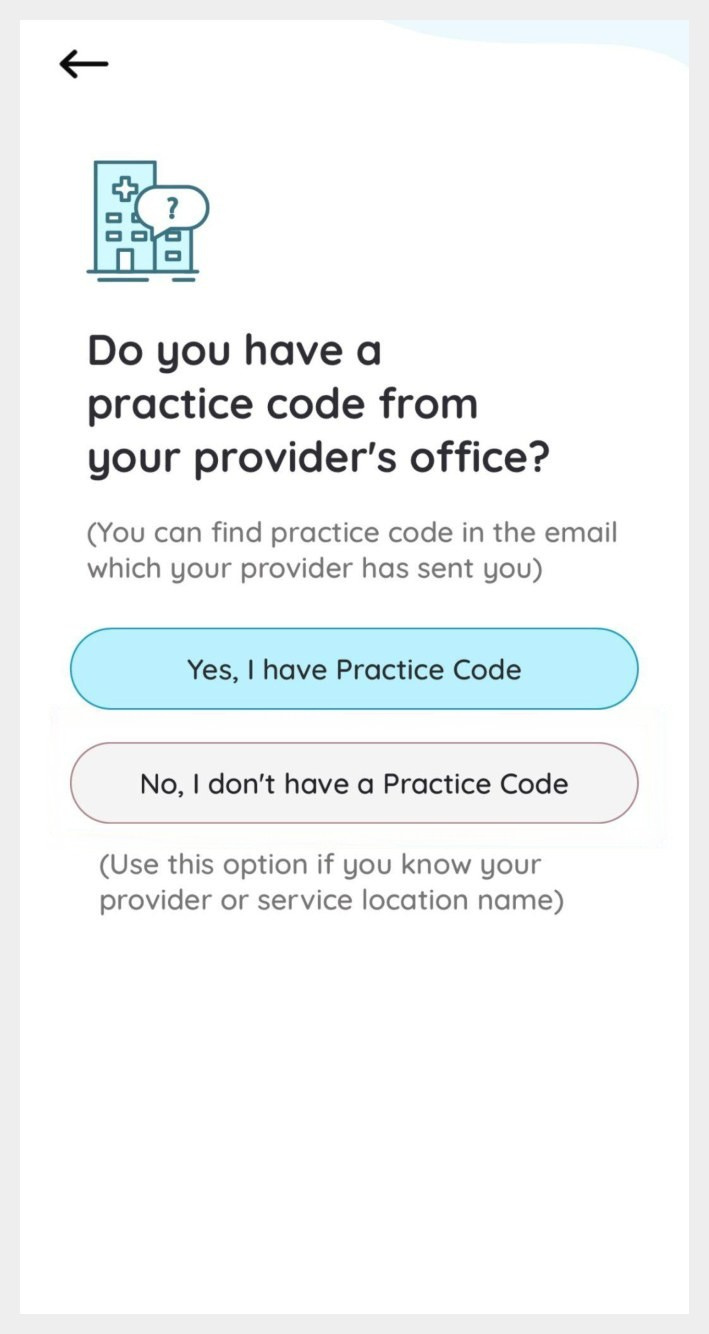
Don’t have the code handy?
You can also find us by name. Choose No, I don’t have a Practice Code and follow these three screens.
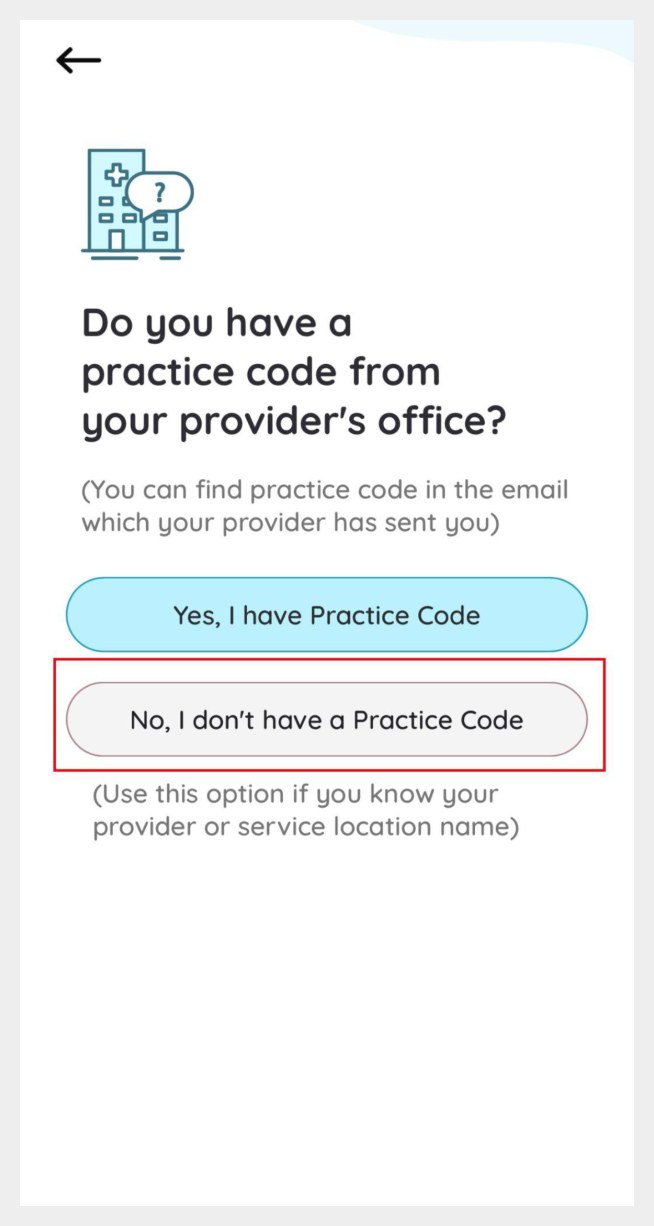
a. Tap “No, I don’t have a Practice Code.”
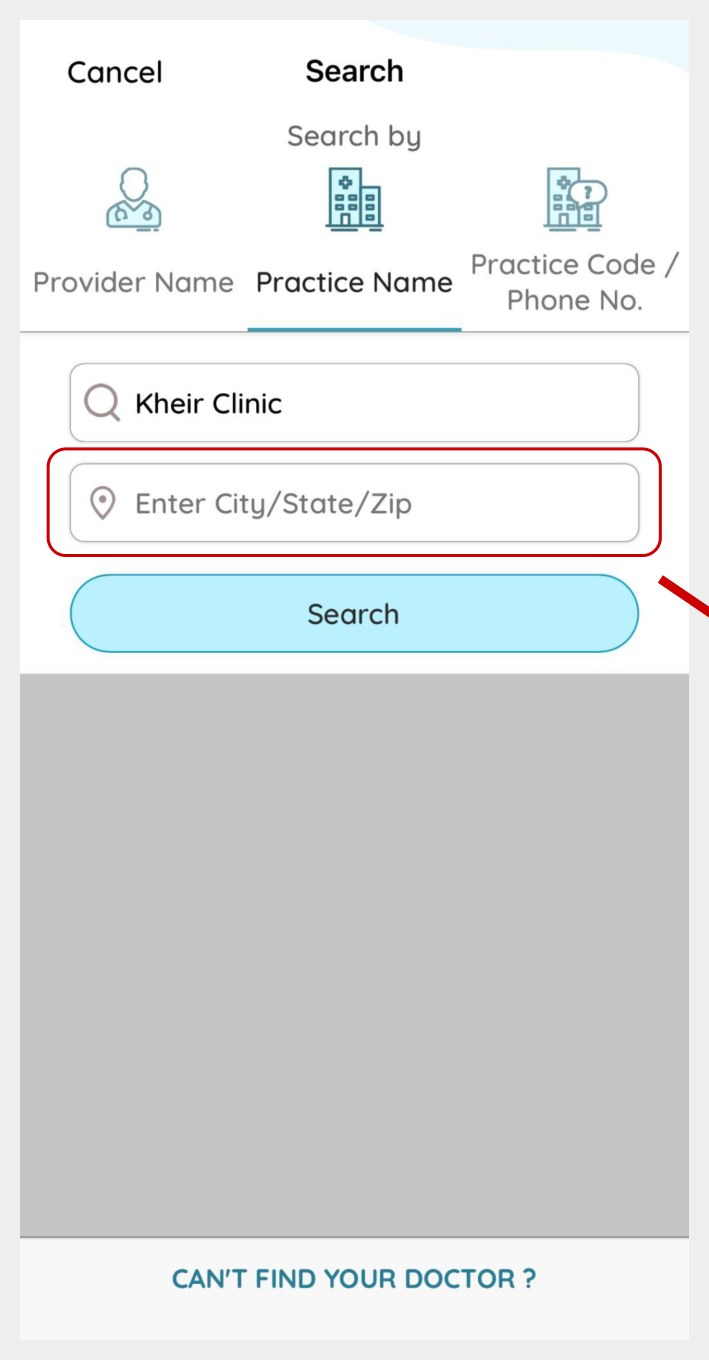
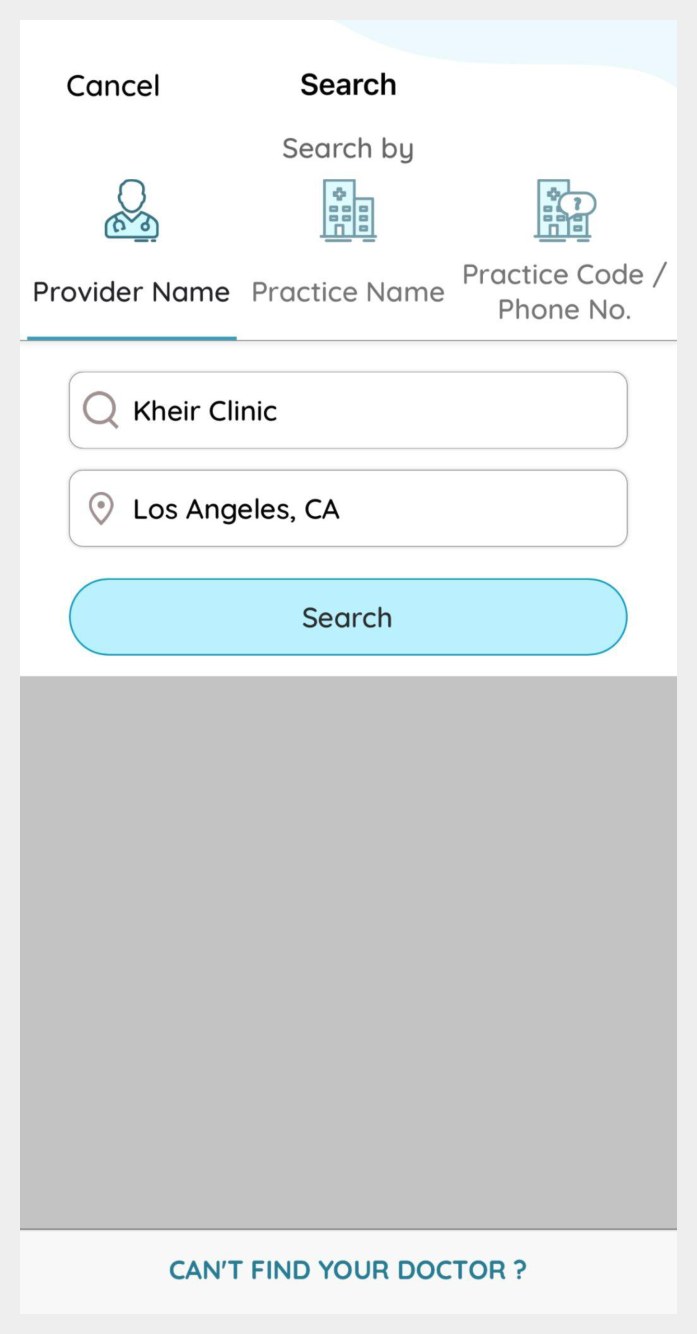
b. Make sure Practice Name is selected. Enter Kheir Clinic.
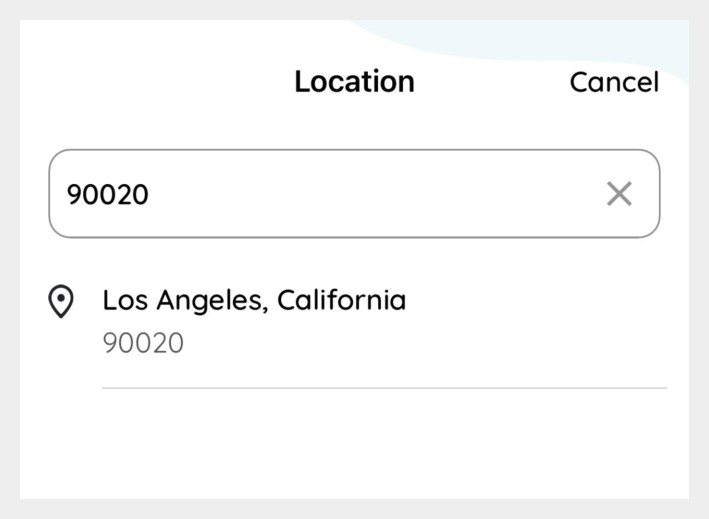
c. Type only the zip code 90020 — the city and state fill in for you.
STEP 5
Search, then pick our clinic by name
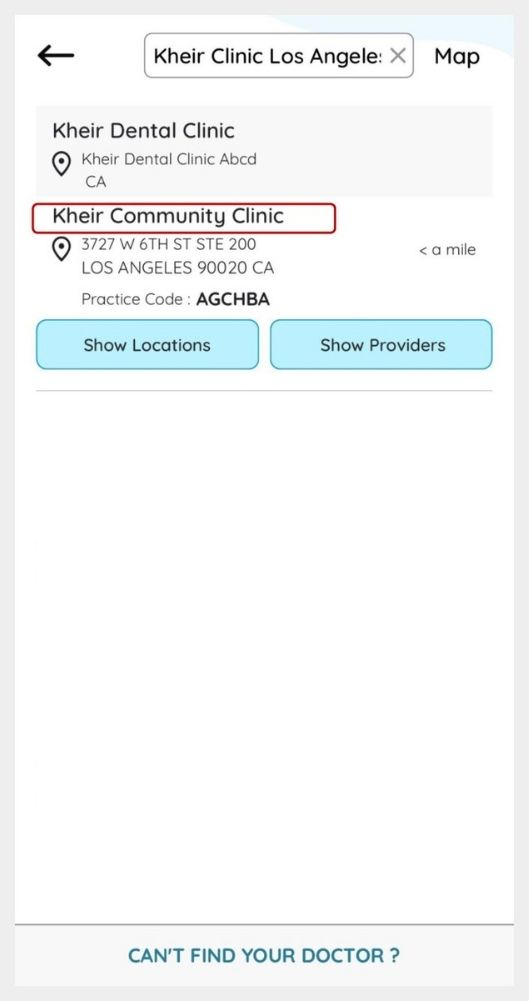
Your search screen should look like the one shown. Tap Search.In the results, tap directly on the clinic name Kheir Community Clinic — not on the “Show Locations” or “Show Providers” buttons.
STEP 6
Confirm it’s the right practice
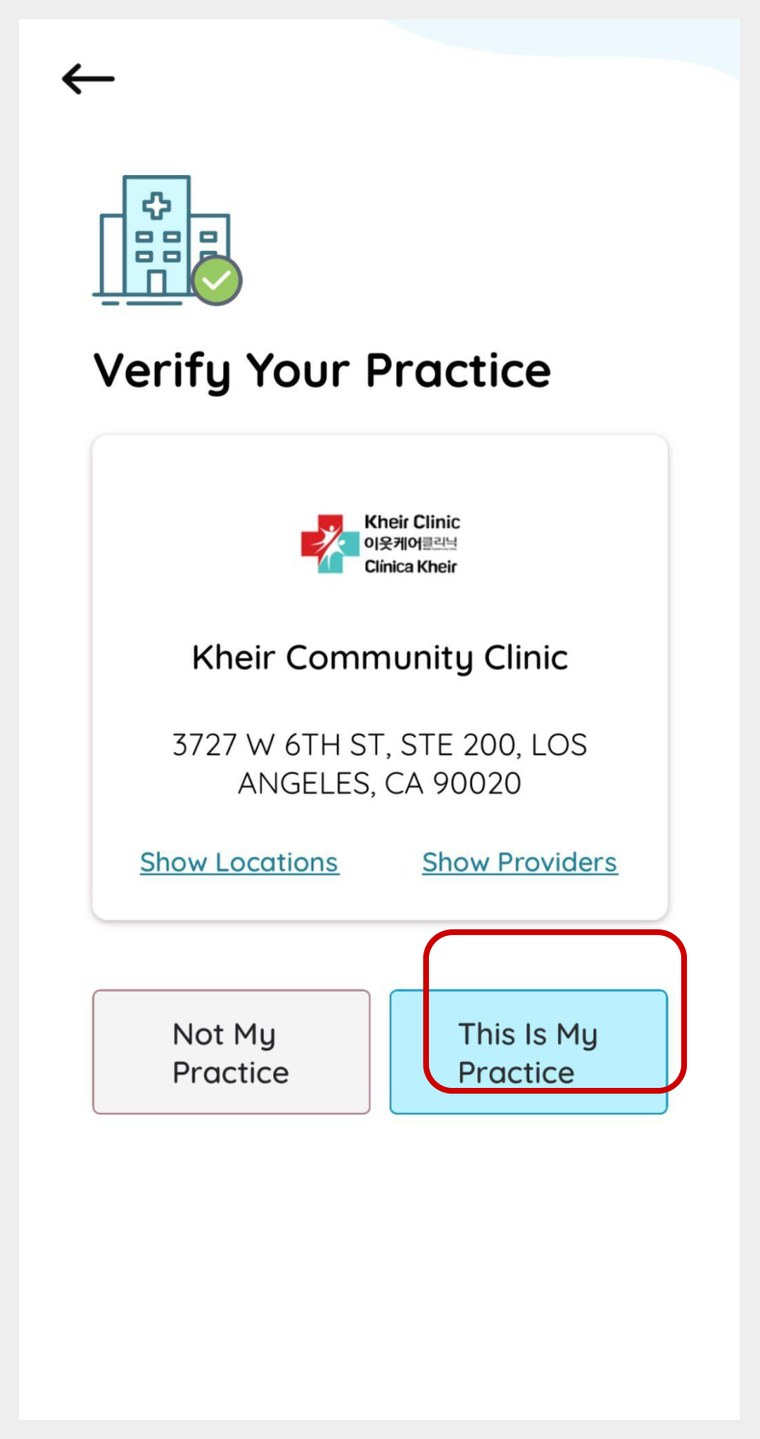
Check that the address reads 3727 W 6th St, Ste 200, Los Angeles, CA 90020, then tap This Is My Practice.
STEP 7
Verify your identity and create a PIN
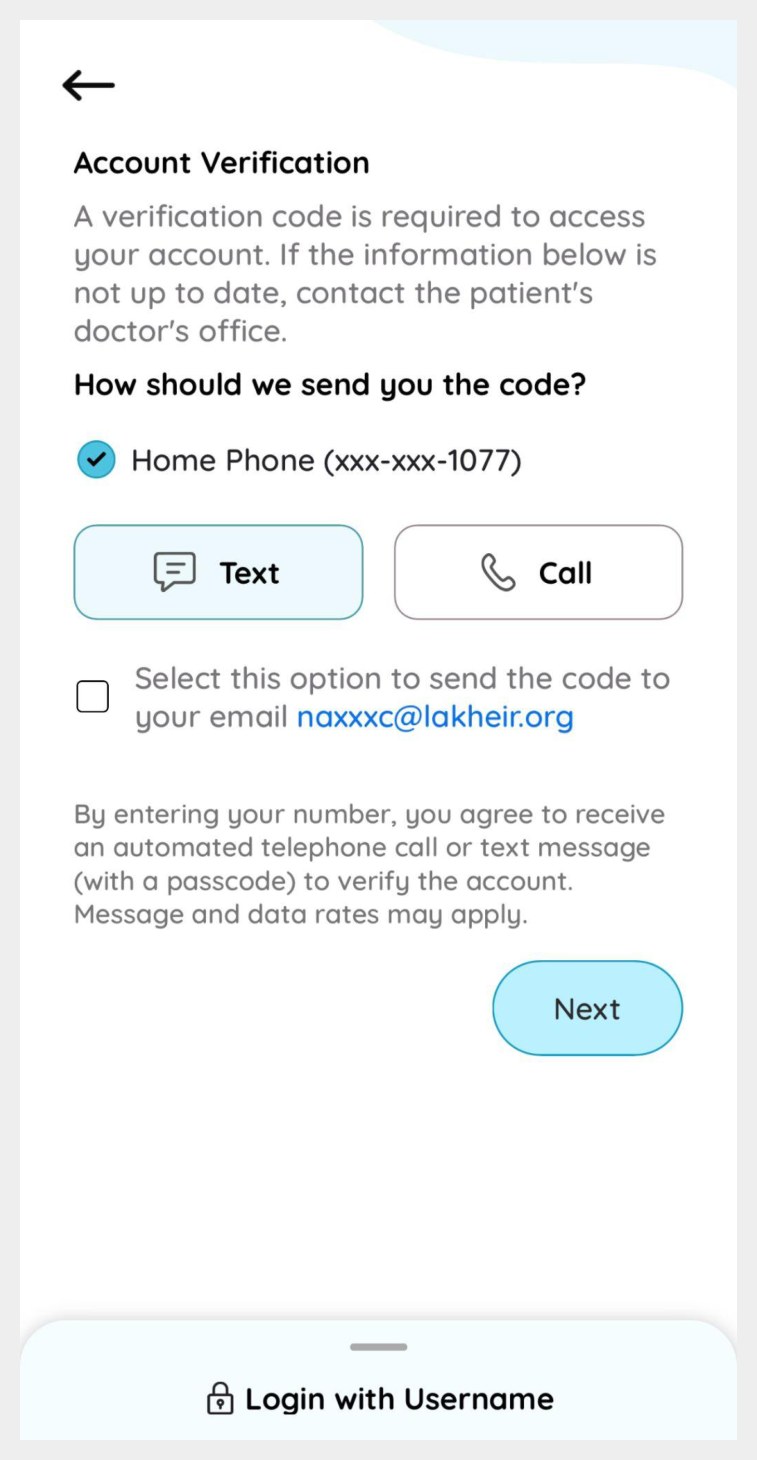
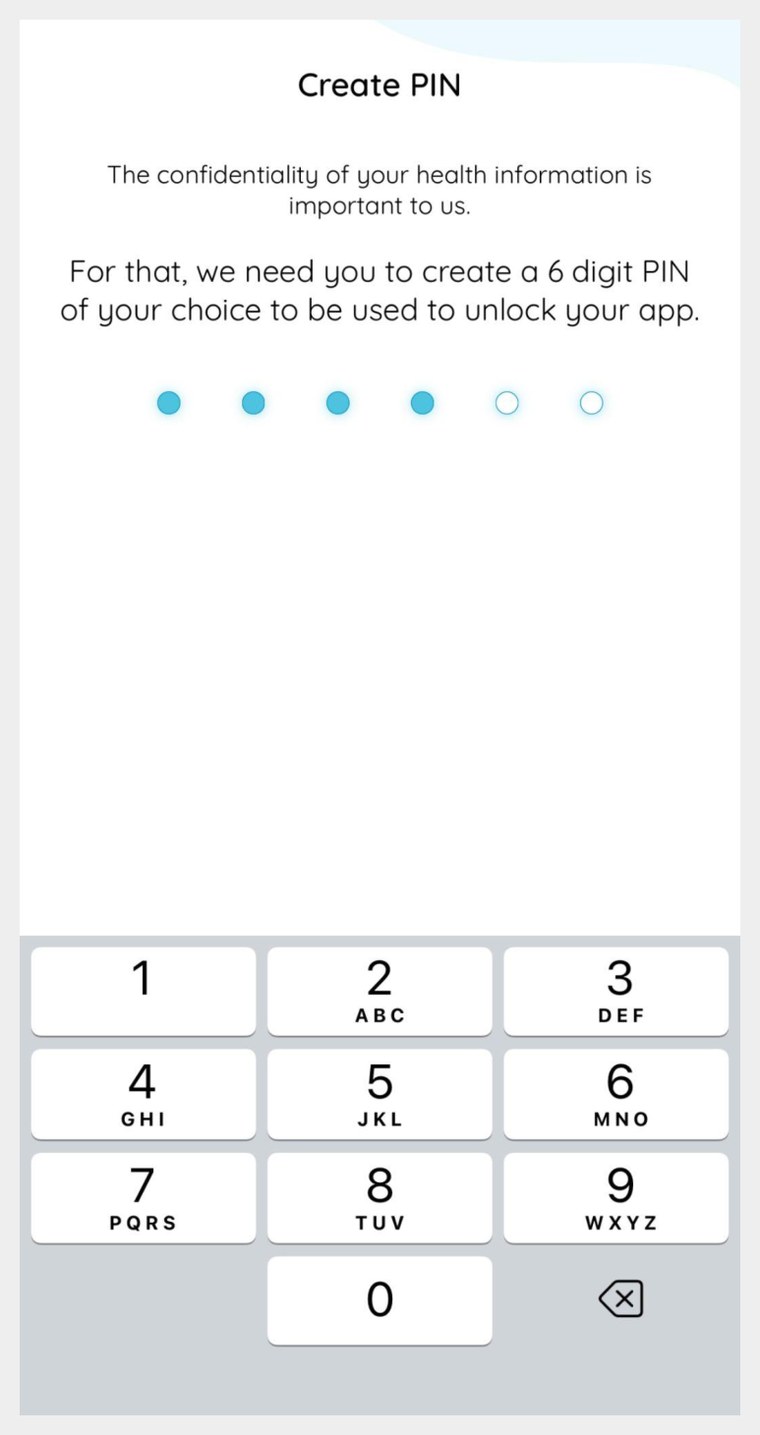
The app sends a verification code to the phone number on your patient record. Choose Text or Call, or tick the box to receive it by email instead. Enter the code, then create a 6-digit PIN to unlock the app.On most iPhones you can also turn on Face ID. On Android phones you may need to enter your PIN each time you open the app.
Write your PIN down and keep it somewhere safe. You’ll need it every time you open the app.
You’re in! Here’s your home screen
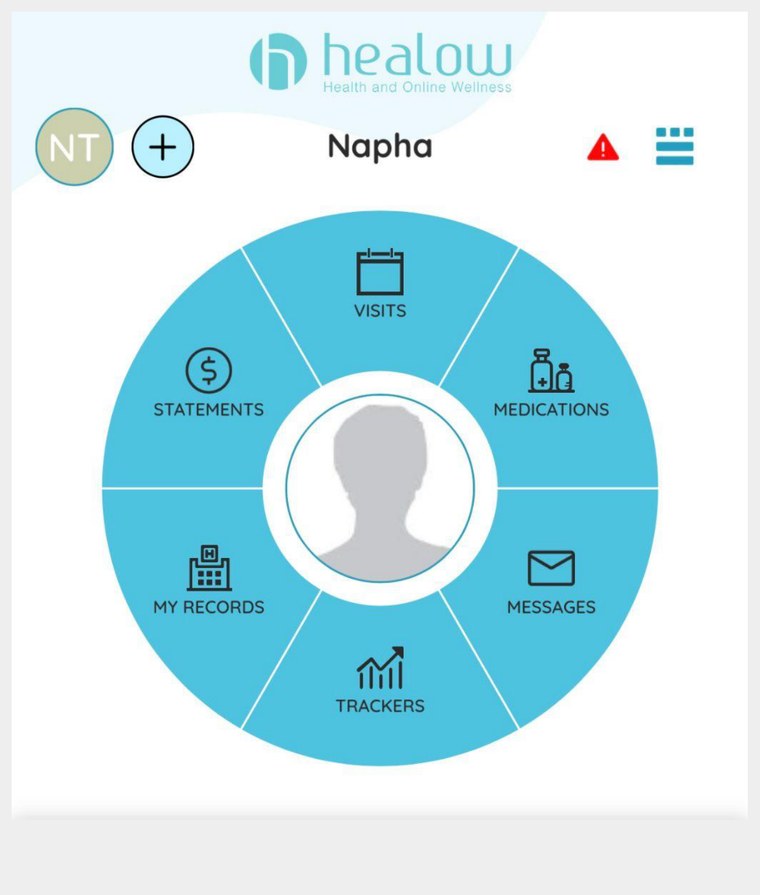
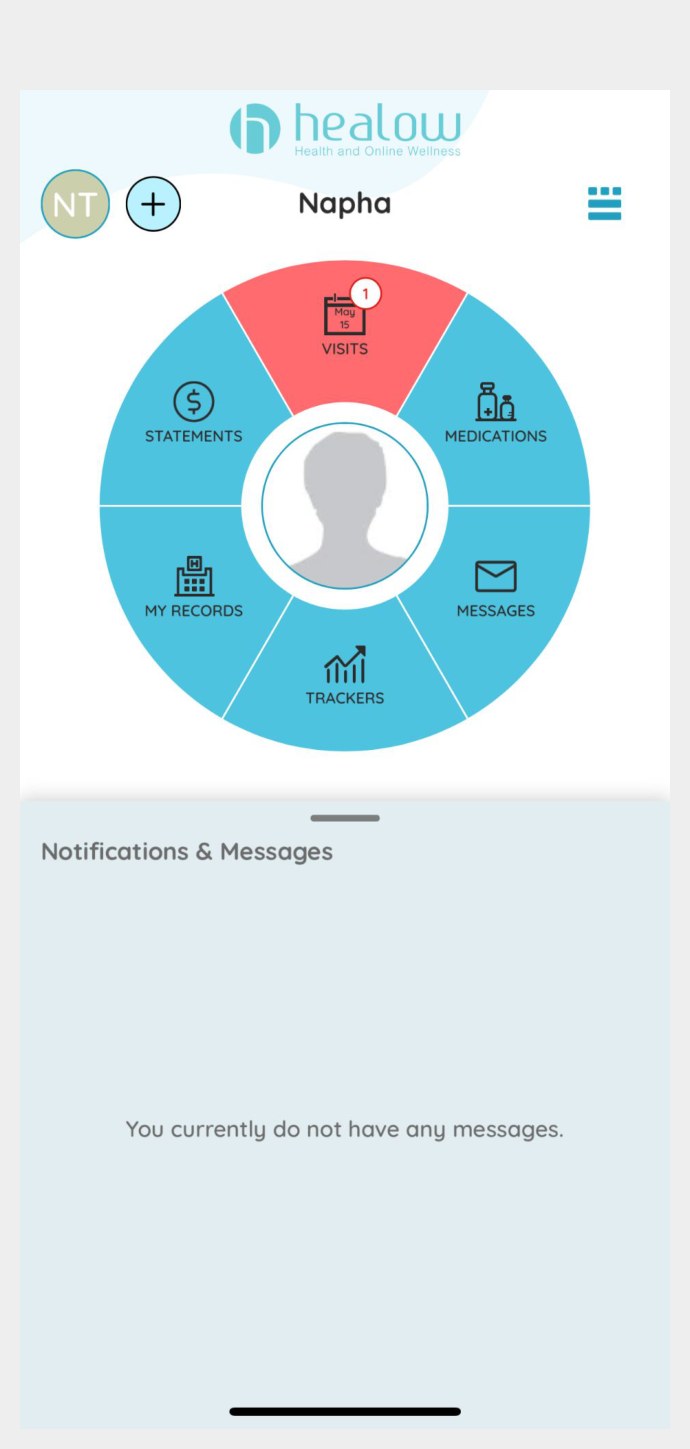
Once you’re signed in you’ll see this wheel. Each section takes you somewhere different.
Visits: View your upcoming appointments and look back at past ones.
My Records: Open documents from your chart, referrals, lab reports and more.
Medications: See the medications you’re currently taking and request refills.
Messages: Read and send messages to your provider, including refill requests.
My Records
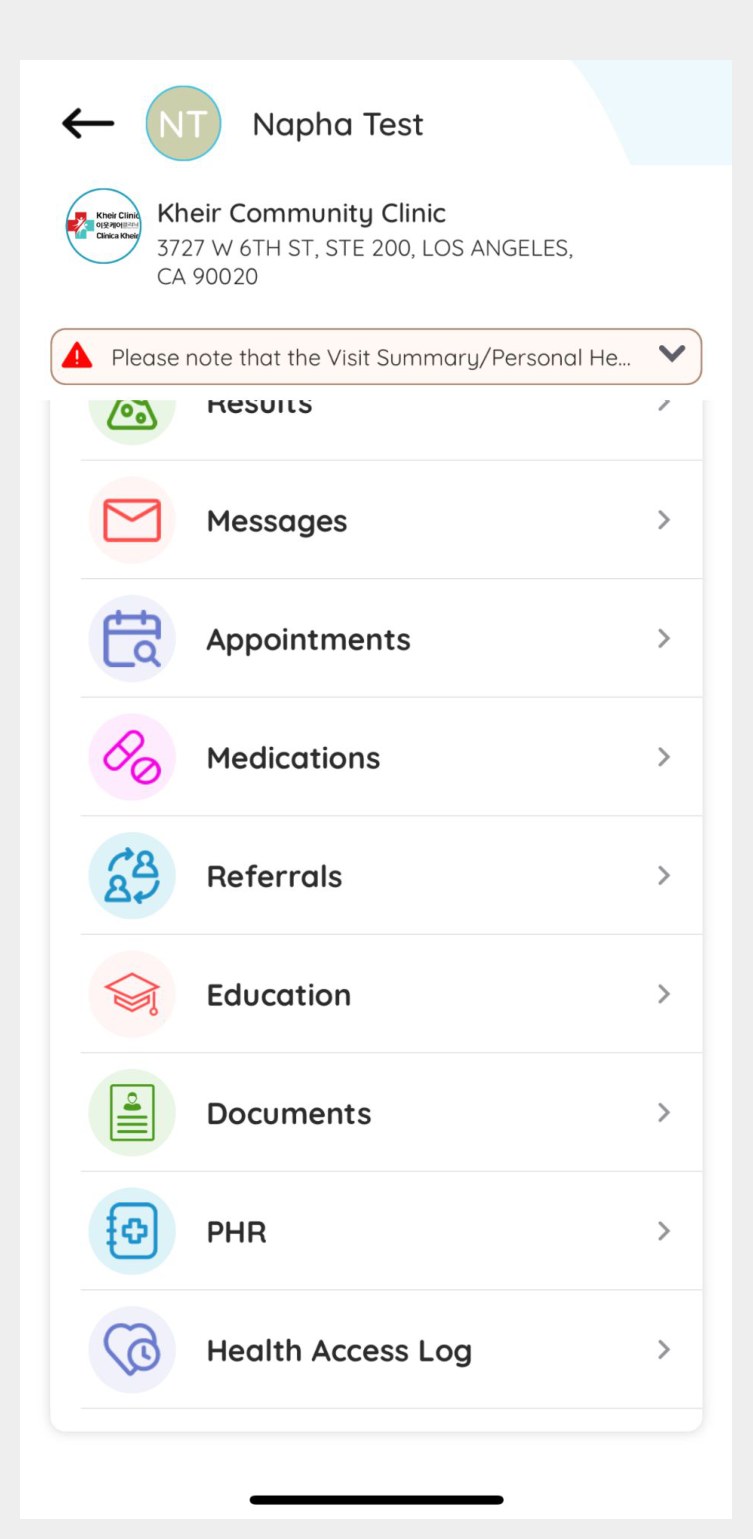
Under My Records you can open:
Documents: including referrals
Results: your lab results
Vitals: height, weight and blood pressure readings
Medication information, appointments and messages are also reachable from here.
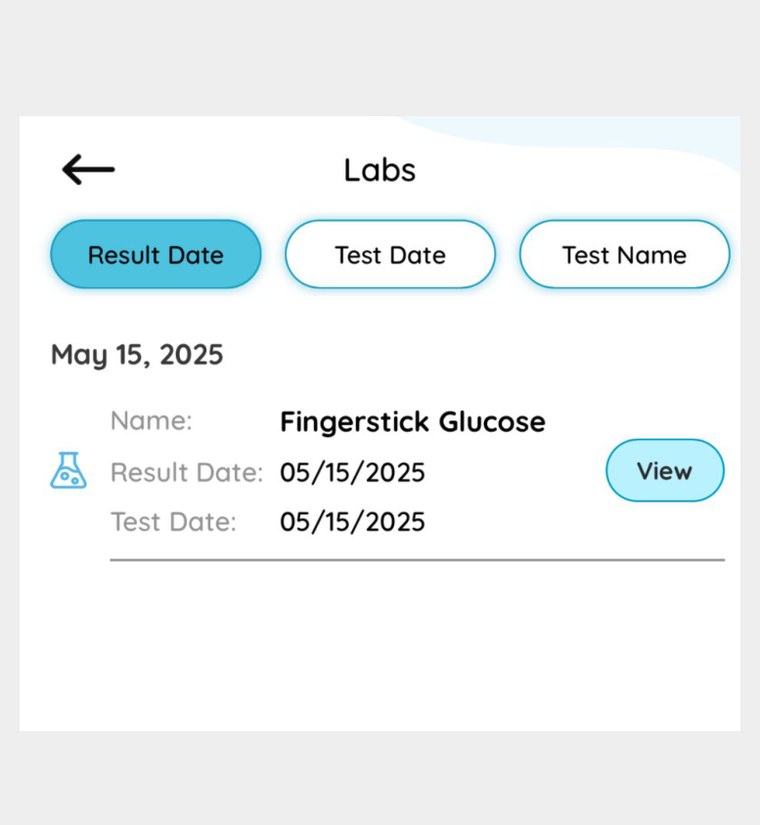
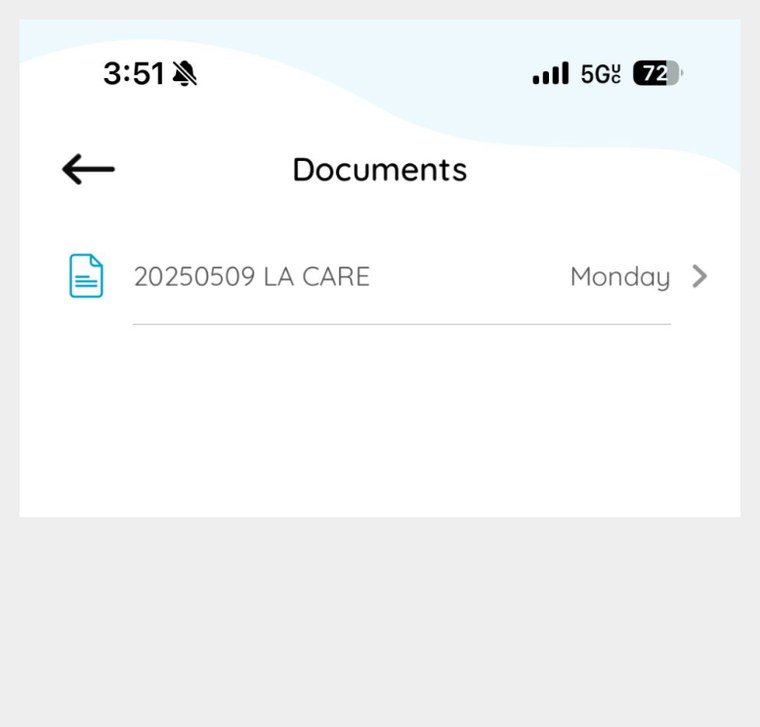
Viewing and printing a lab result
Tap View next to any result to see the full report, then use the printer icon to print or save it.
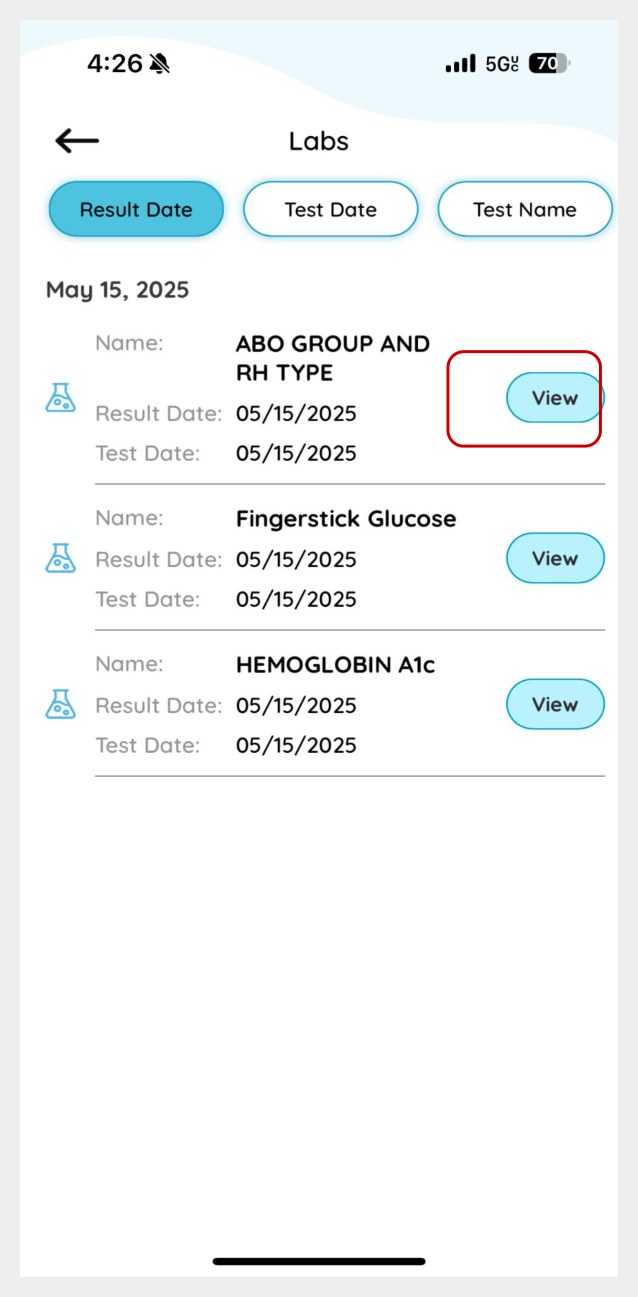
1. Tap “View” on the result you want.
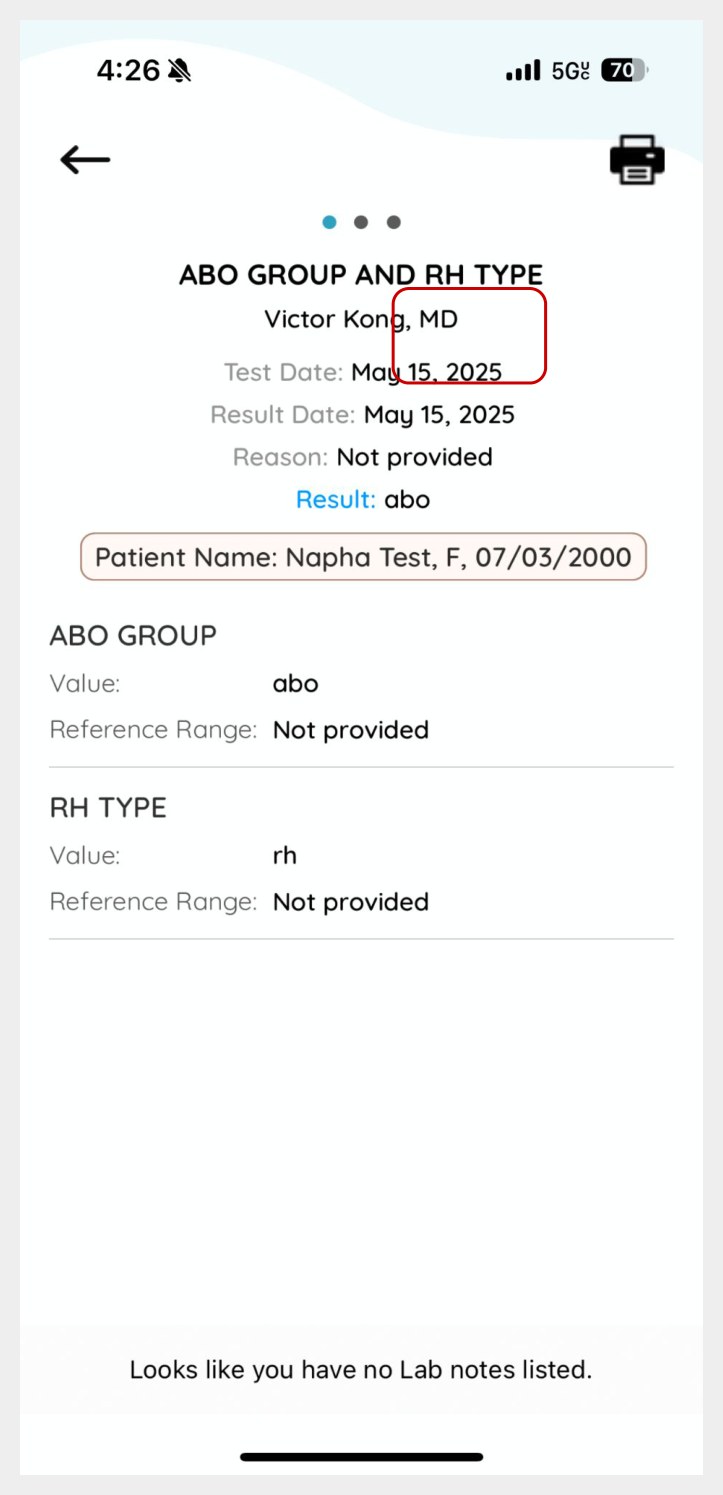
2. The full result opens, with the test date and your provider.
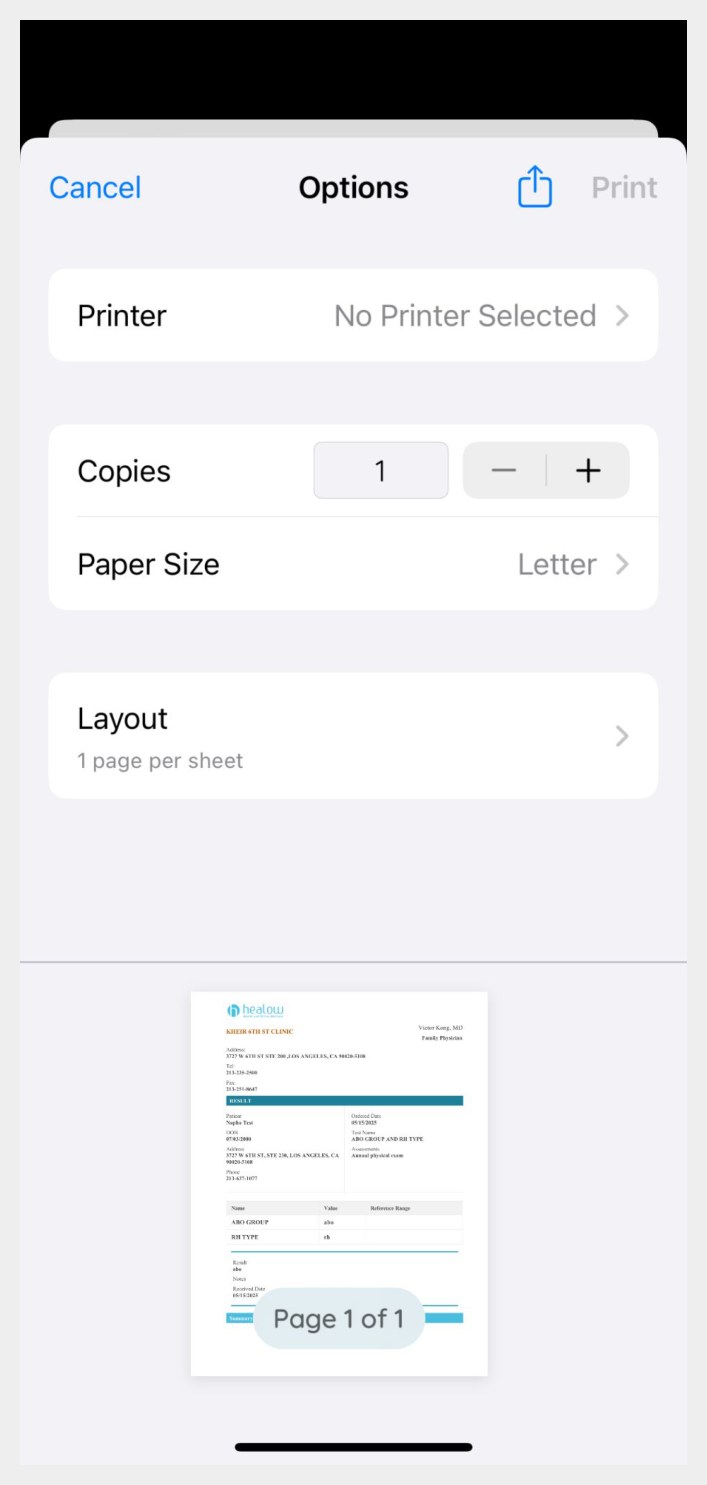
3. Tap the printer icon to print or save as PDF.
Visits
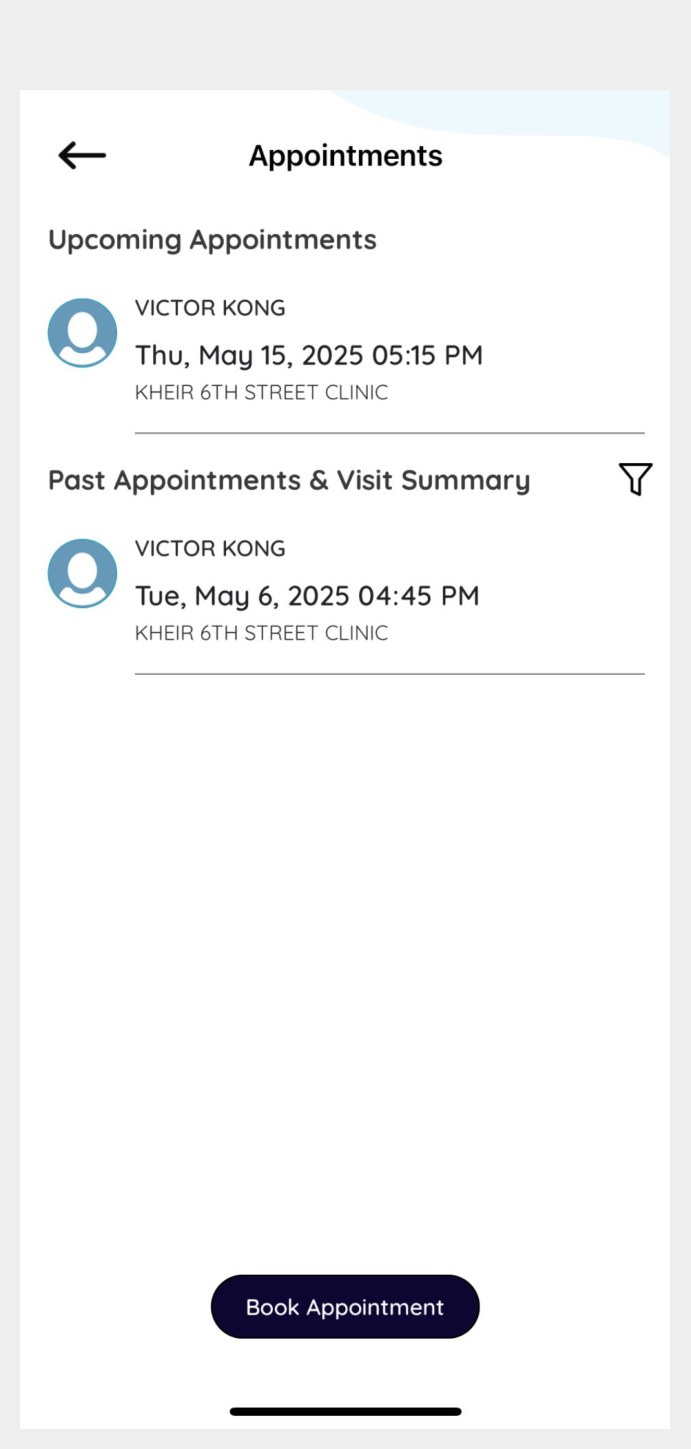
If you have an upcoming appointment, the Visits section of the wheel turns red.You can view both upcoming and past appointments here.
Please note: appointments cannot be booked or changed in the app. Call the clinic to make or change an appointment.
Medications and refills
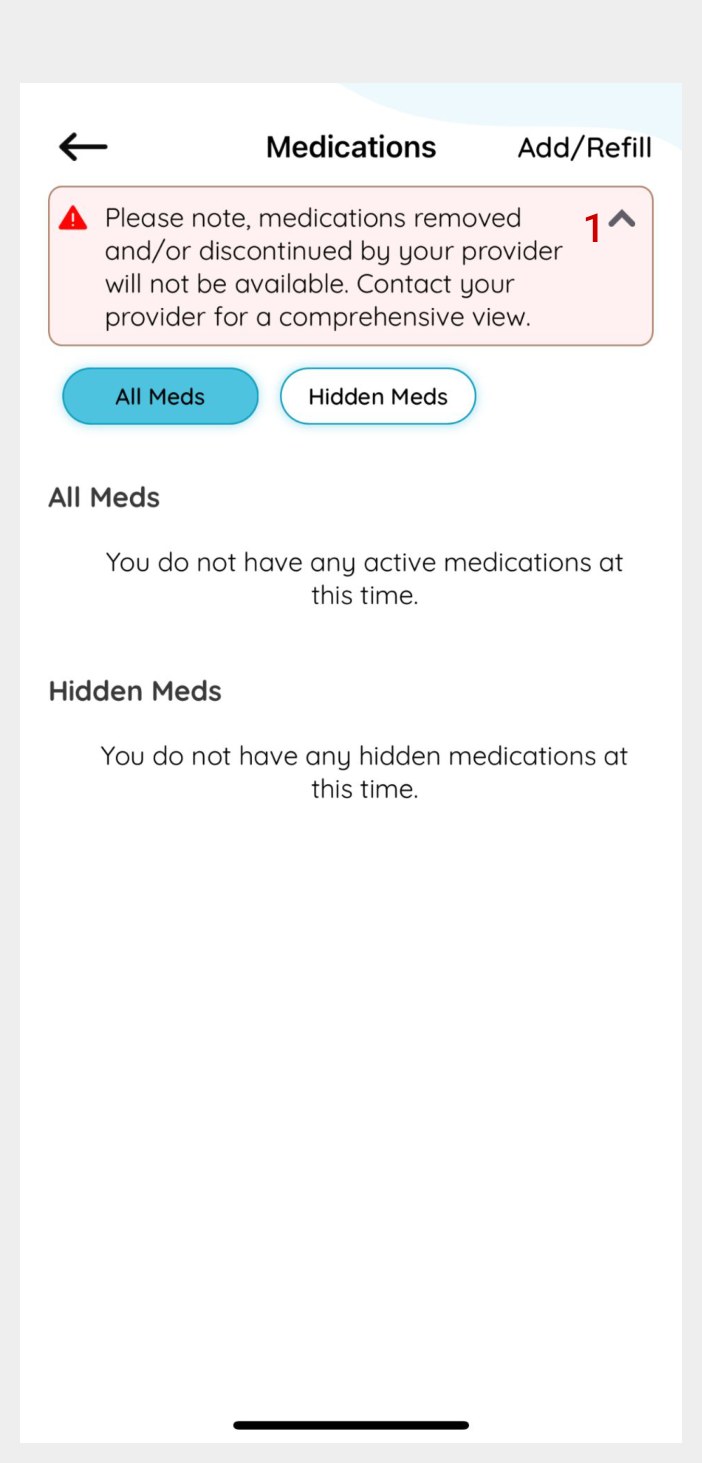
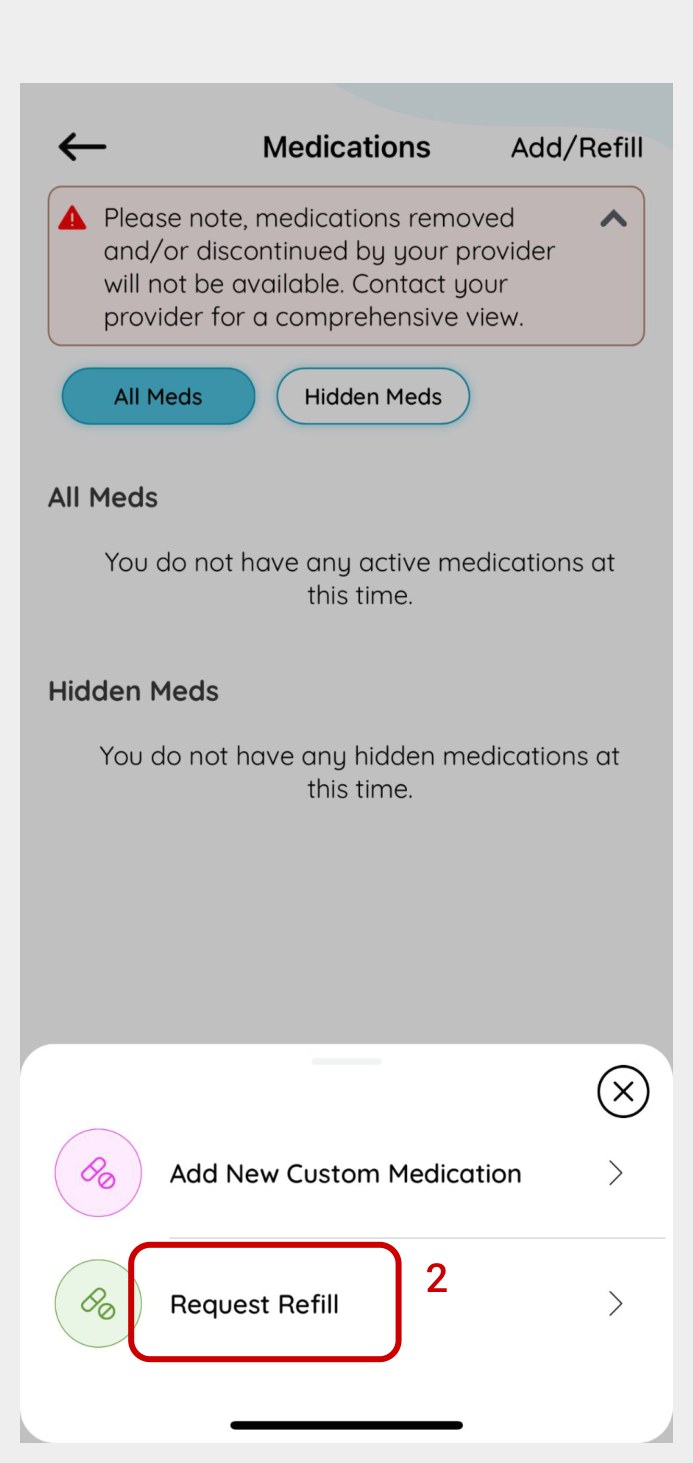
To request a refill, tap Add/Refill in the top right corner of the Medications screen, then choose Request Refill.You’ll then be able to send the request to the pharmacy listed on your Kheir patient profile.
Medications your provider has removed or discontinued won’t appear in the list. Contact the clinic if something looks missing.
Need a hand getting set up?
Our staff are happy to walk you through it in person or over the phone.